Track nanny hours, confirm weekly timesheets, and keep payment records organized for tax season. Your nanny can confirm hours by email without downloading another app.

No more texts, notes, or spreadsheet cleanup.
See hours, payments, and confirmations in one place.
Both sides can confirm the hours recorded.
Keep nanny hours, payments, and receipts organized all year.
NannySync keeps nanny hours, payment history, confirmations, and receipts organized in one place.
Hours, reminders, and receipts get lost in texts, notes, and spreadsheets.
Did I log Wed hours?
Was this week already marked as sent?
Need yearly totals
where are my records?Create a clear weekly record of hours, payments, and nanny confirmations that stays organized throughout the year.
From weekly hours to nanny confirmation, NannySync keeps your records organized.
Record your nanny's hours by day or date range.
Mark the weekly payment as sent and keep a clear payment history.
Your nanny receives a simple email to confirm the hours. No app or account required.
Track hours, confirm payments, and keep organized records throughout the year.
Add nanny hours by day or date range. NannySync automatically organizes them into weekly records.
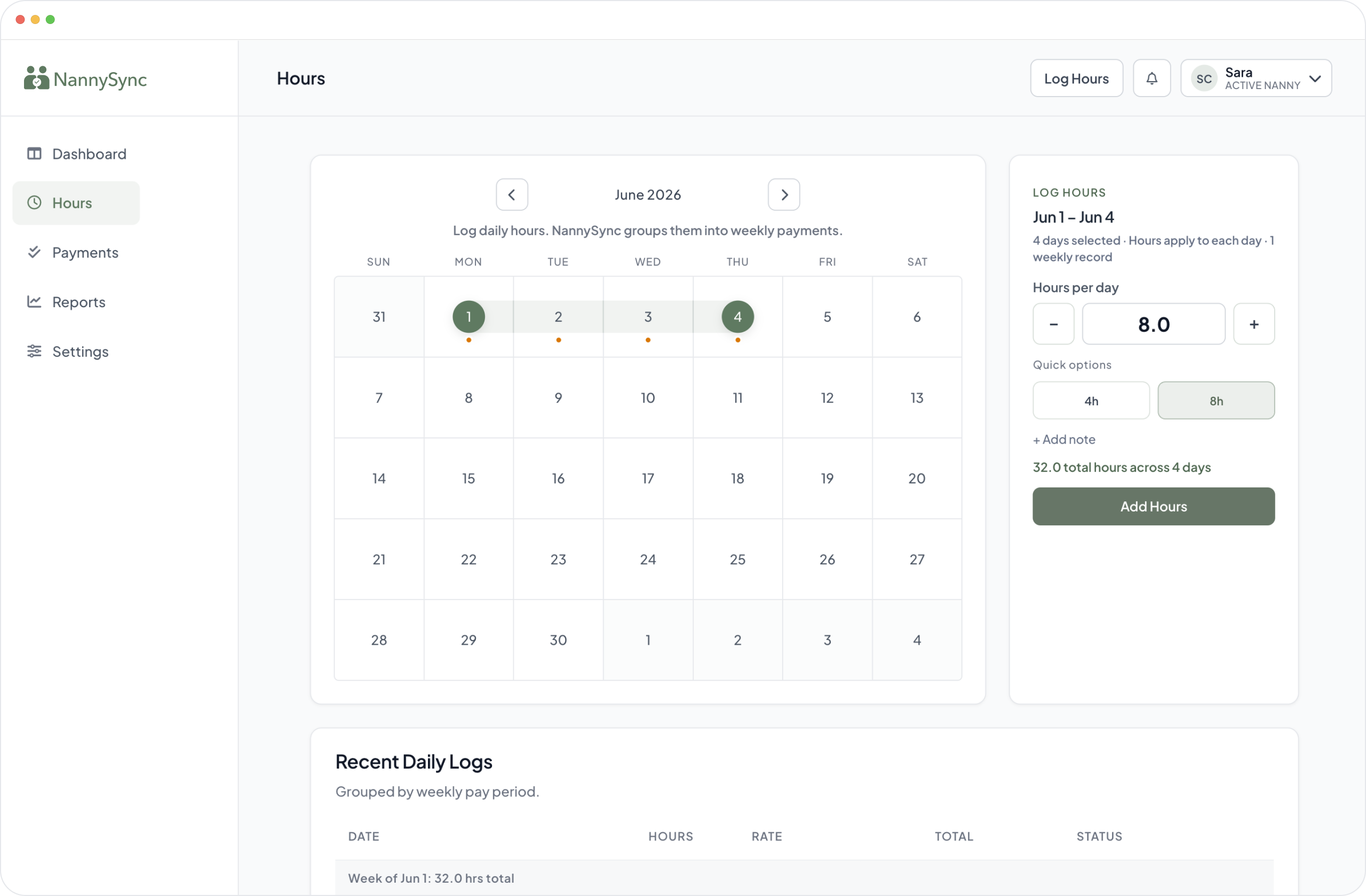
Daily logs become weekly records with hours, payment status, and confirmation history in one place.
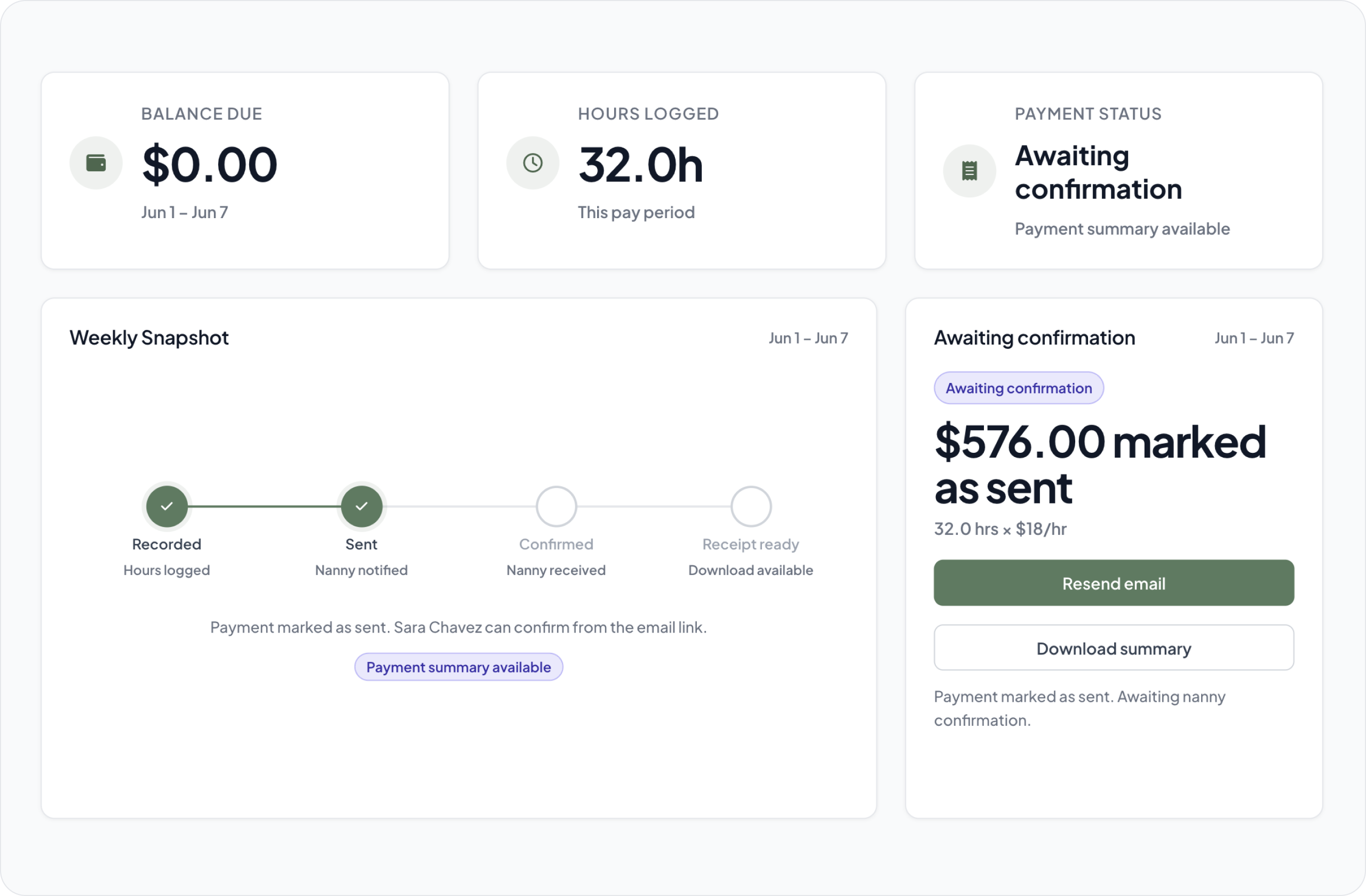
After you mark a payment as sent, your nanny receives a simple link to confirm the recorded hours.
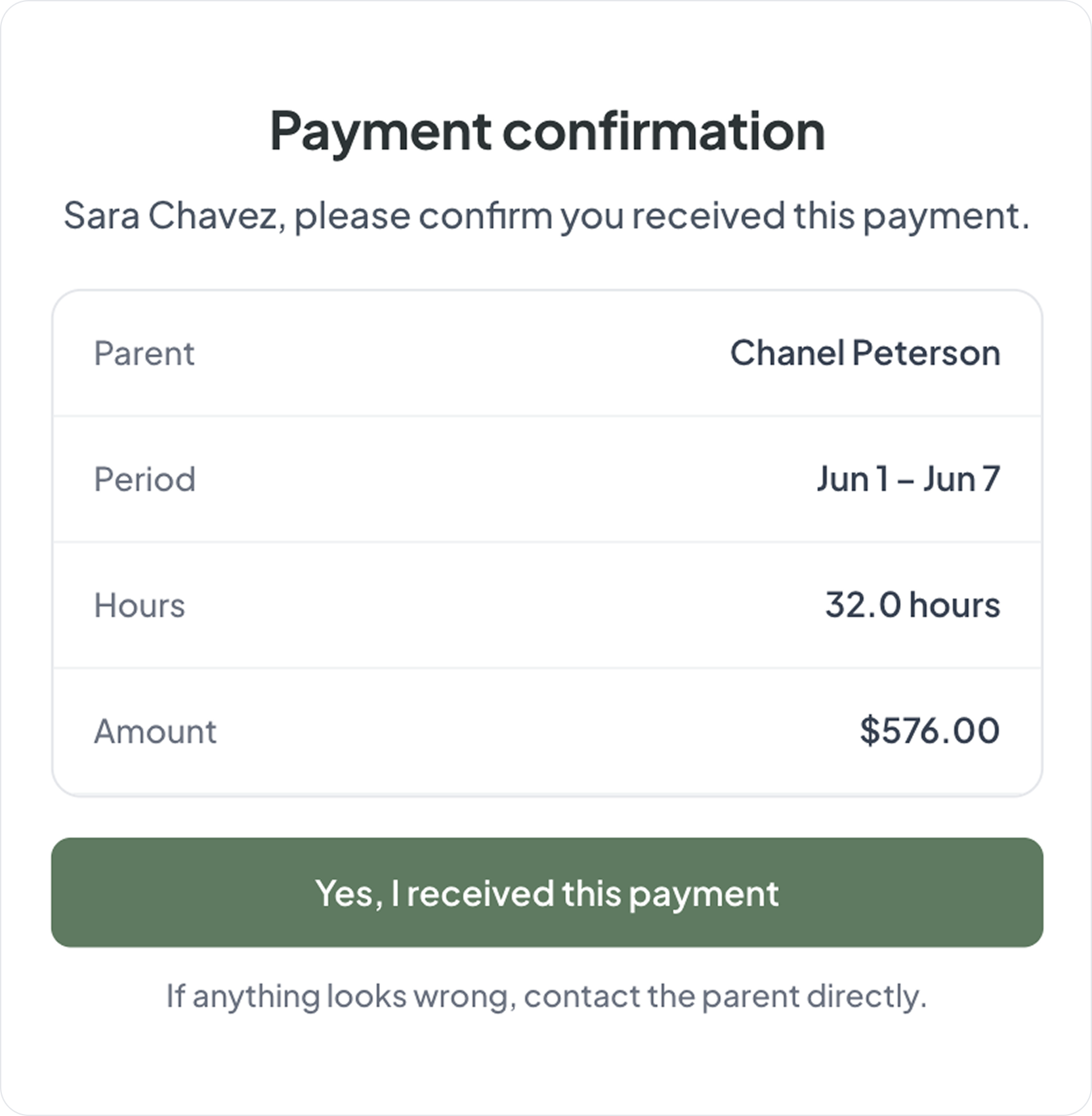
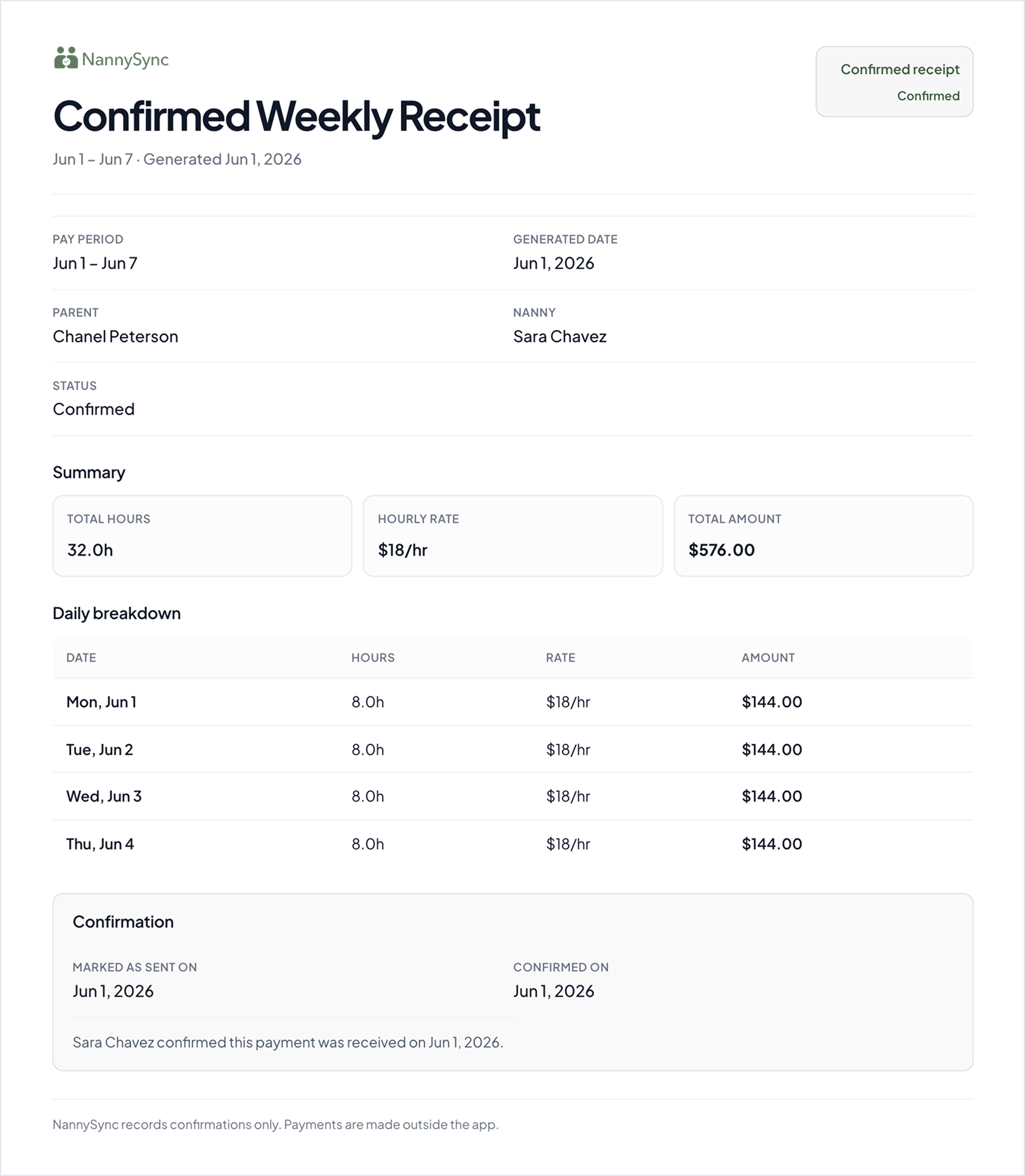
Once your nanny confirms, NannySync keeps a clear record of the weekly payment details.
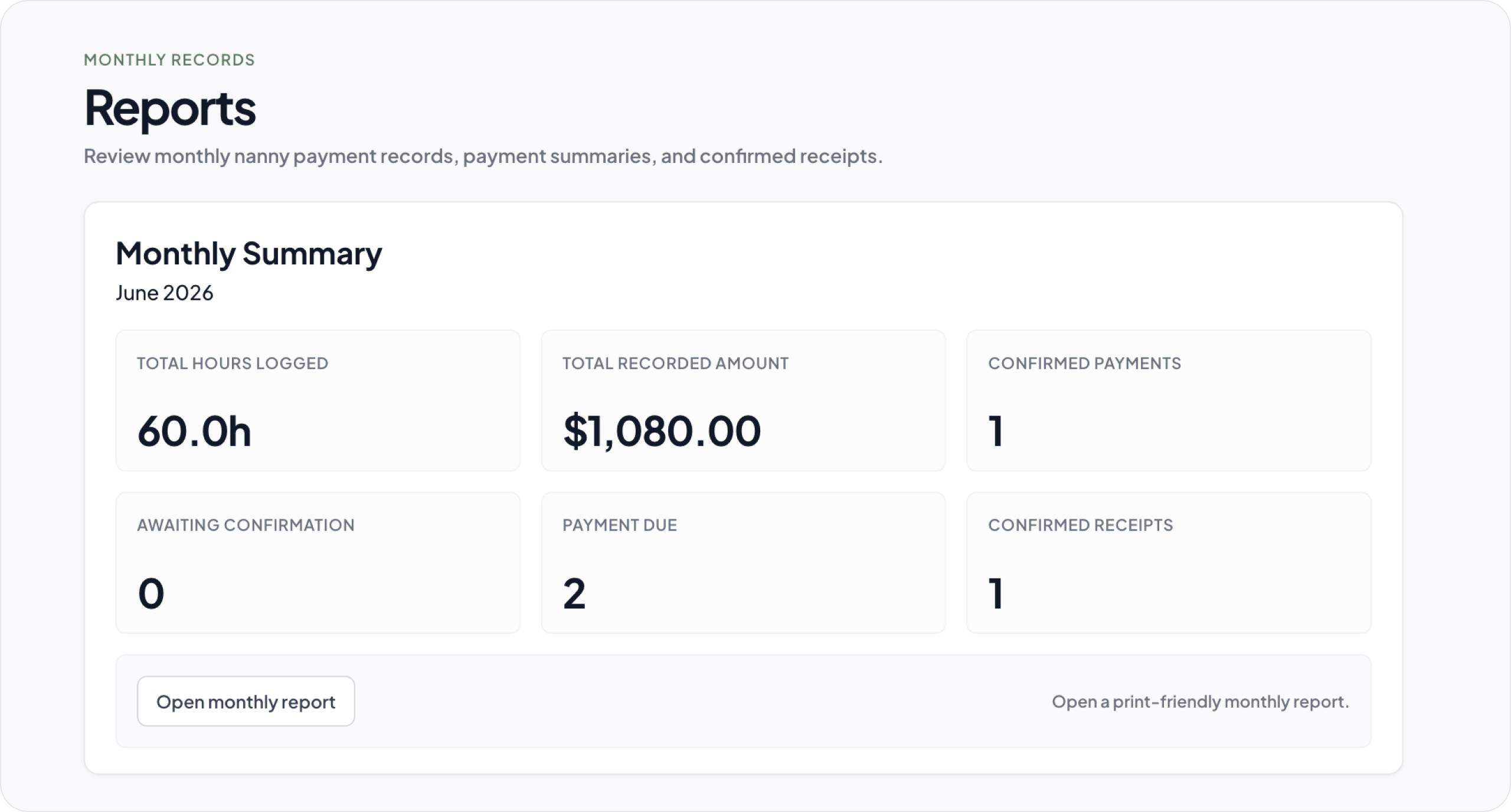
Review monthly hours, payments, and confirmations so your records are ready when you need them.
Clear answers about how NannySync helps families manage nanny records.
No. NannySync does not move money. Parents pay outside the app, then use NannySync to track hours, payment history, nanny confirmation, and records.
No. NannySync is not payroll software and does not file taxes, remit payroll, or provide tax advice. It helps families keep organized nanny employment records throughout the year.
Texts and notes are easy to lose track of. NannySync keeps nanny hours, payment history, confirmations, and records organized in one place.
Yes. Your nanny receives a simple confirmation link and does not need to create an account or download another app.
You can use NannySync free for 30 days. After the trial, continue for CAD $9.99/month. Cancel anytime.
NannySync is designed for parents who want a simple way to keep nanny hours, payment history, and confirmations organized. It does not move money or replace payroll.
After your nanny confirms the payment details, NannySync keeps the confirmed weekly record available for your records.
NannySync helps you keep organized records of nanny hours and payments throughout the year. It does not file taxes or provide tax advice.
Track nanny hours, keep payment records organized, get nanny confirmation, and stay prepared with clear records throughout the year.
Start free for 30 days No credit card required. Cancel anytime.